








to do list (Admin only)
⚠️ lesson in EARLY ACCESS ⚠️
Please keep this in mind when viewing this lesson as we still need to do a final pass on it.
Feel free to share anything that is out of place in the feedback form at the bottom of the lesson to help us improve it.
Thanks and happy learning!
LESSON OVERVIEW
Breakdowns are at the core of making a portfollio, but what makes a successfull breakdown compared to a breakdown that doens't have any value?
Before getting started, if you haven't seen the previous lesson for more general presentation adivce.
- Checkout the lsson on PORTFOLIO PRESENTATION
For this we need to understand that the purpose of breakdowns is to showcase why and how you did something now what you did. Meaning that the goal of a goof breakdown is to inform recruiters or other artists about how you've achieved the beautiful results we looked at in the previous visuals.
This might feel a little over the top, but I'll say it anyways, Everything mentioned in this lesson is not a critique of the beautifual art itself and is meant to be seen as a tool of what in my opinion is a great way of presenting your work, especially breakdowns.
⚠️
Missing LESSON OVERVIEW
breakdown presentation advice
Let's start with some overall advice that can be applied to all portfolios regardless of what they are specialising in.
✅ DO
- Make all your presentations professional looking
(If you are not good at design, keep things simple, minimal and clean) - Pick a font that matches the vibes of the project but focus on readability
(Fonts can add to the vibe you want to portray with your work) - Add your name or contact information to every image you upload, but keep it subtle.
(This helps people find you even if your image get saved in other places than your portfolio) - Reduce friction/clicks whereever possible
(Every time you ask for a person to click you lose a portion of your viewers, so use Autoplay videos, small GIF's and Images where possible, treat anything you want people to click as optional) - Condense information into a single image/short videos
(Don't have multiple images trying to show the same information, condense it down to a single image)
⛔ AVOID
- Quick screengrabs or pictures from your phone
(looks lazy and unproffesional, like you didn't have time to do something proper, it's better to have nothing instead of this) - Adding too many images, less is more
(Comes down to reducing friction, if there are 50 images in a single post then most people will not get to the bottom. A post with 5-10 images seems a good number for most posts) - Using Marmoset Viewer (and other 3D previewers)
See these as optional, we want information to be quickly availabe, clikcing and waiting for something to load is a thing that a lof of peoplewillavoid. Better to use autoplay images/GIF's instead.
Scene Breakdowns
These breakdowns are more high level and showcase all the different workflows or pipelines that are used in the scene, visualising the complexity of the scene in one image and giving us an understanding of what is used where.
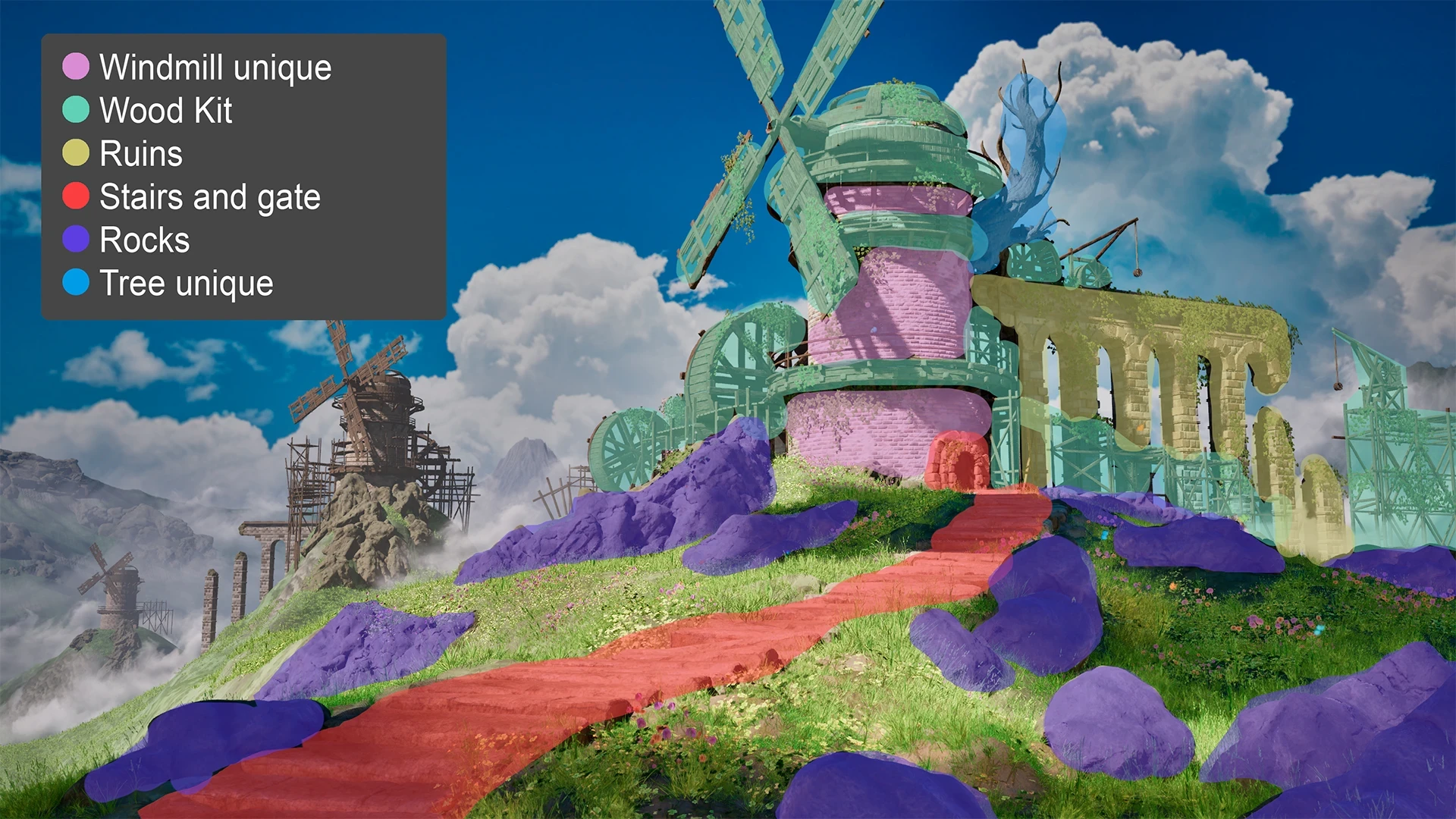
What information needs to be in there?
- What material/Texture is used in all area's of the level
Here's some presentation examples
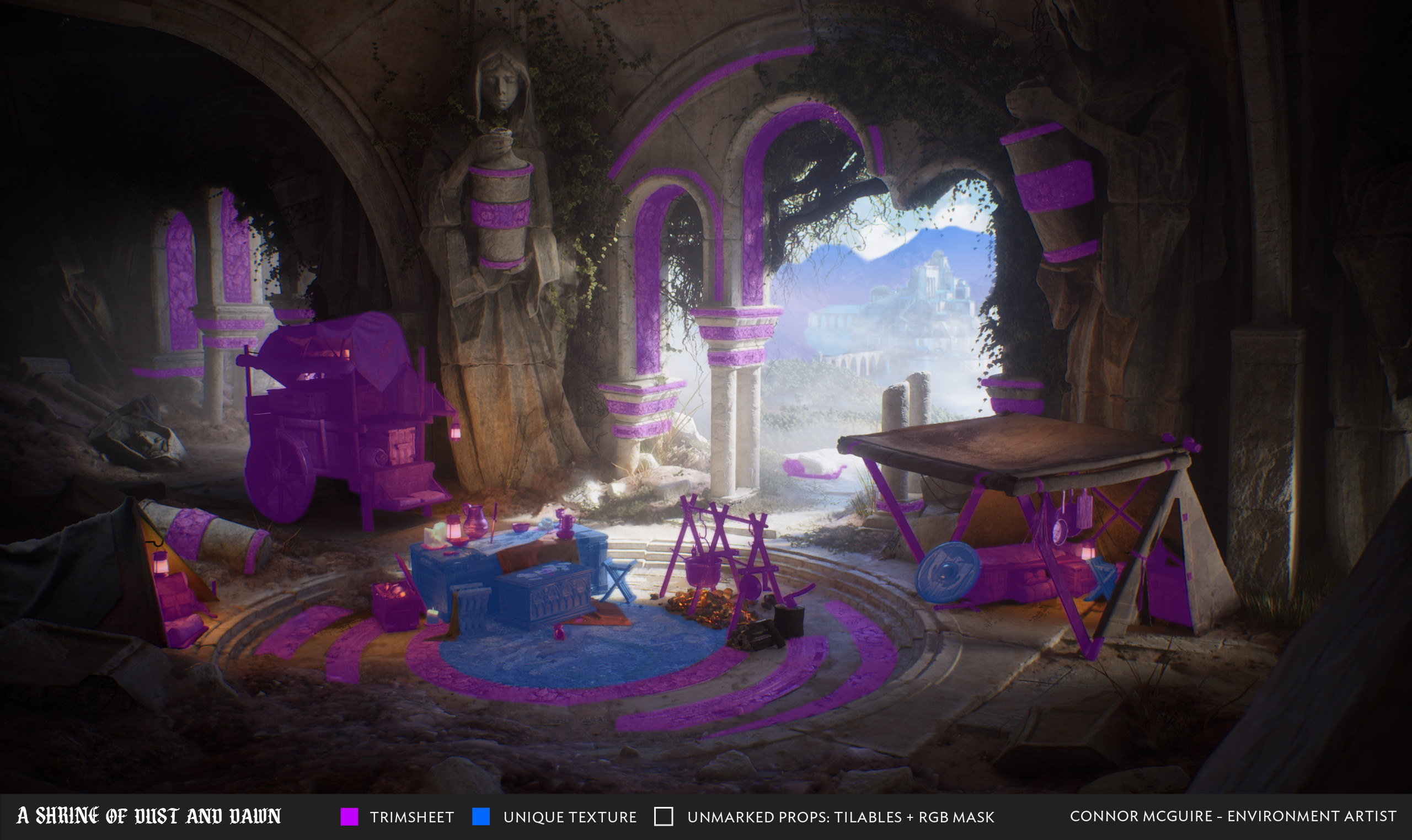
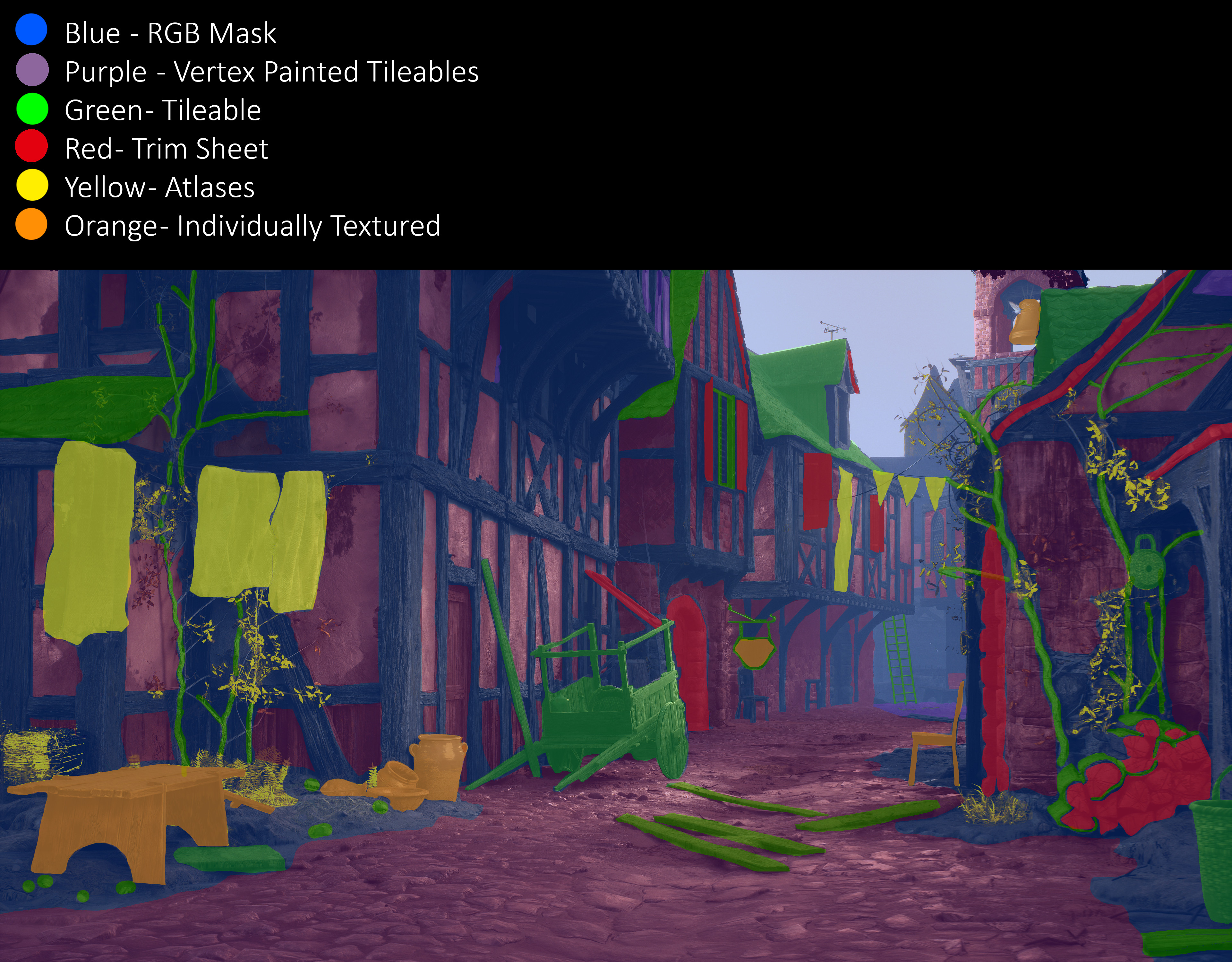
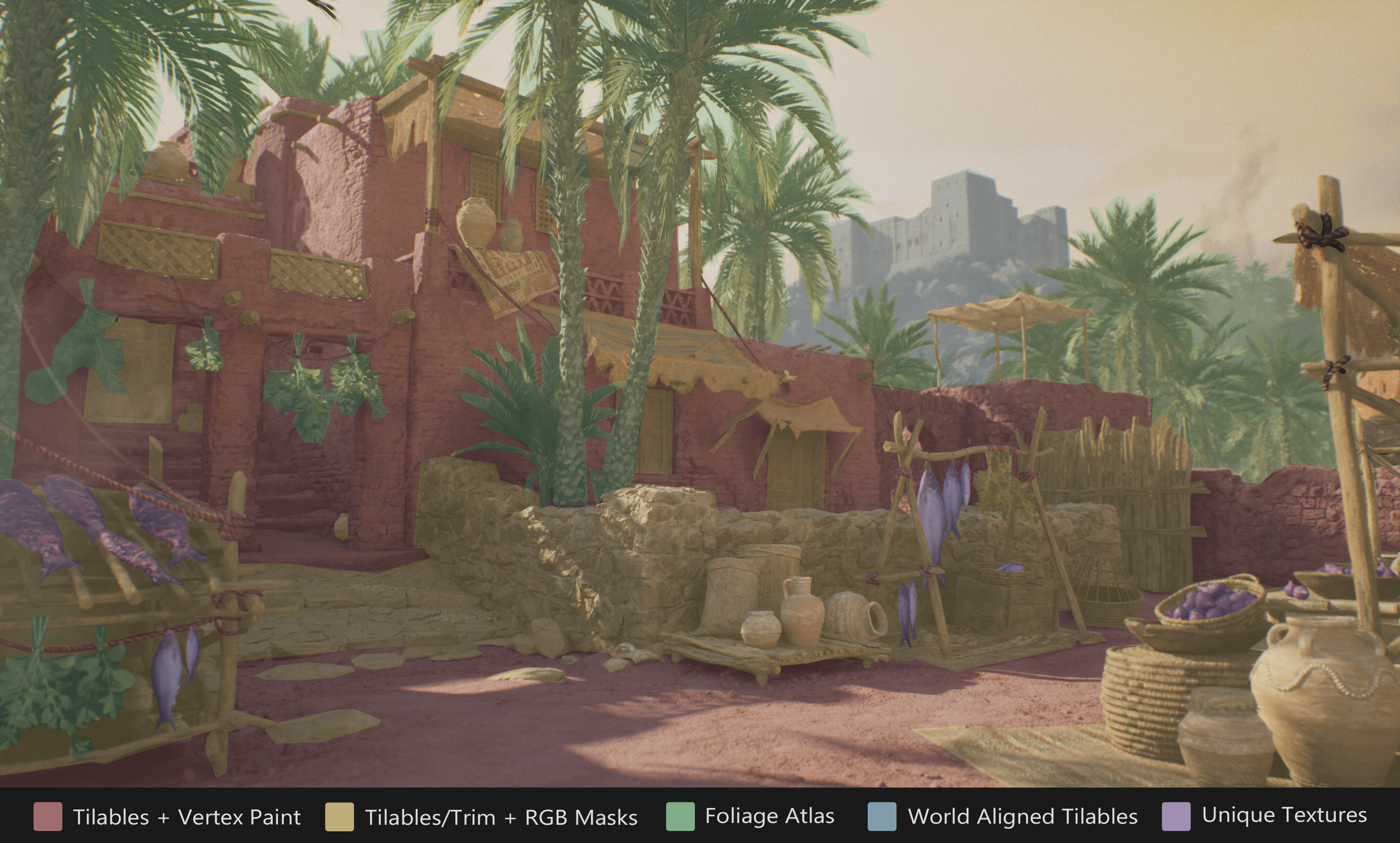
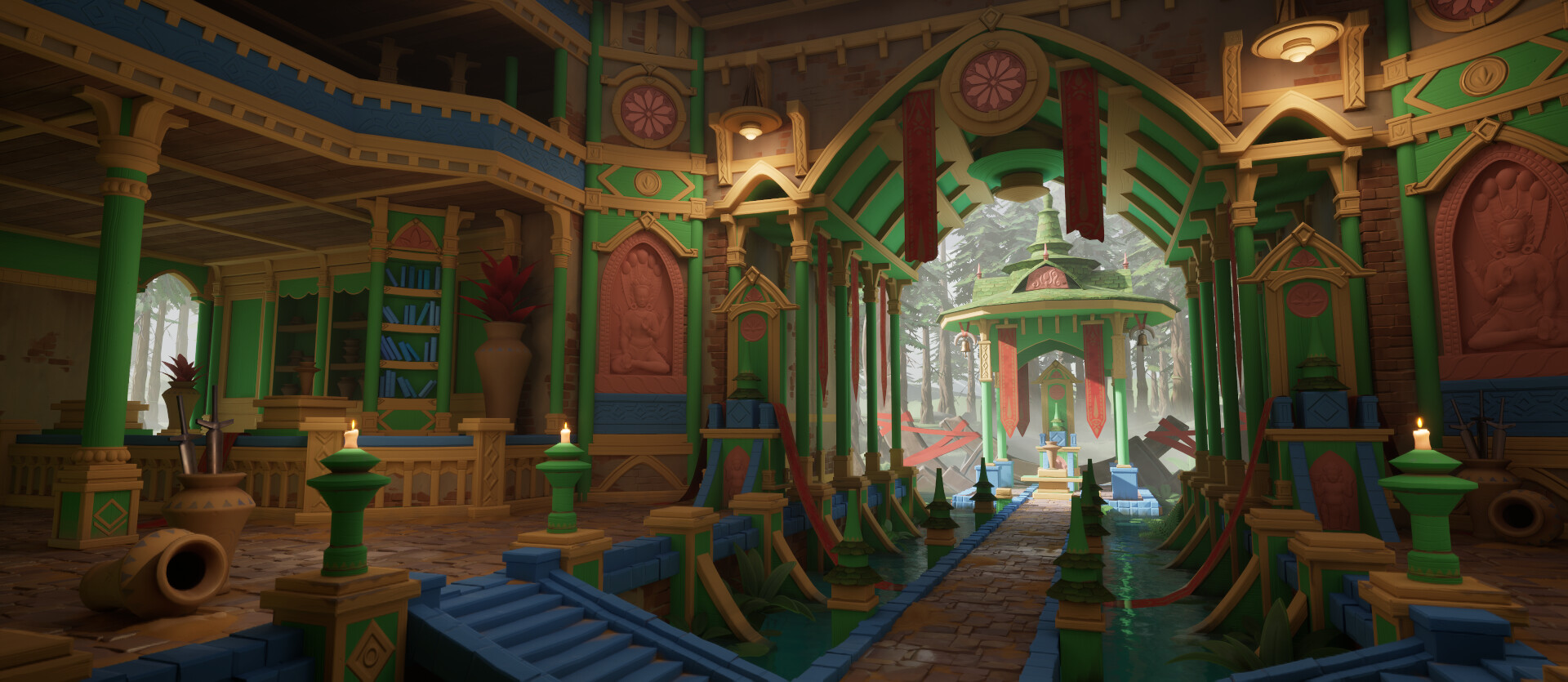
example artists breakdowns
- BreakDown - DEATHLOOP - Rakyetoplan (Matthias Develtere)
Asset Breakdowns
Show how your asset was made to showcase your visual skills, aiming for the highest posibily visual quality you are capable of. Ideally the prop should also contain a little bit of personalisation, adding a story layer that loads of props are missing.
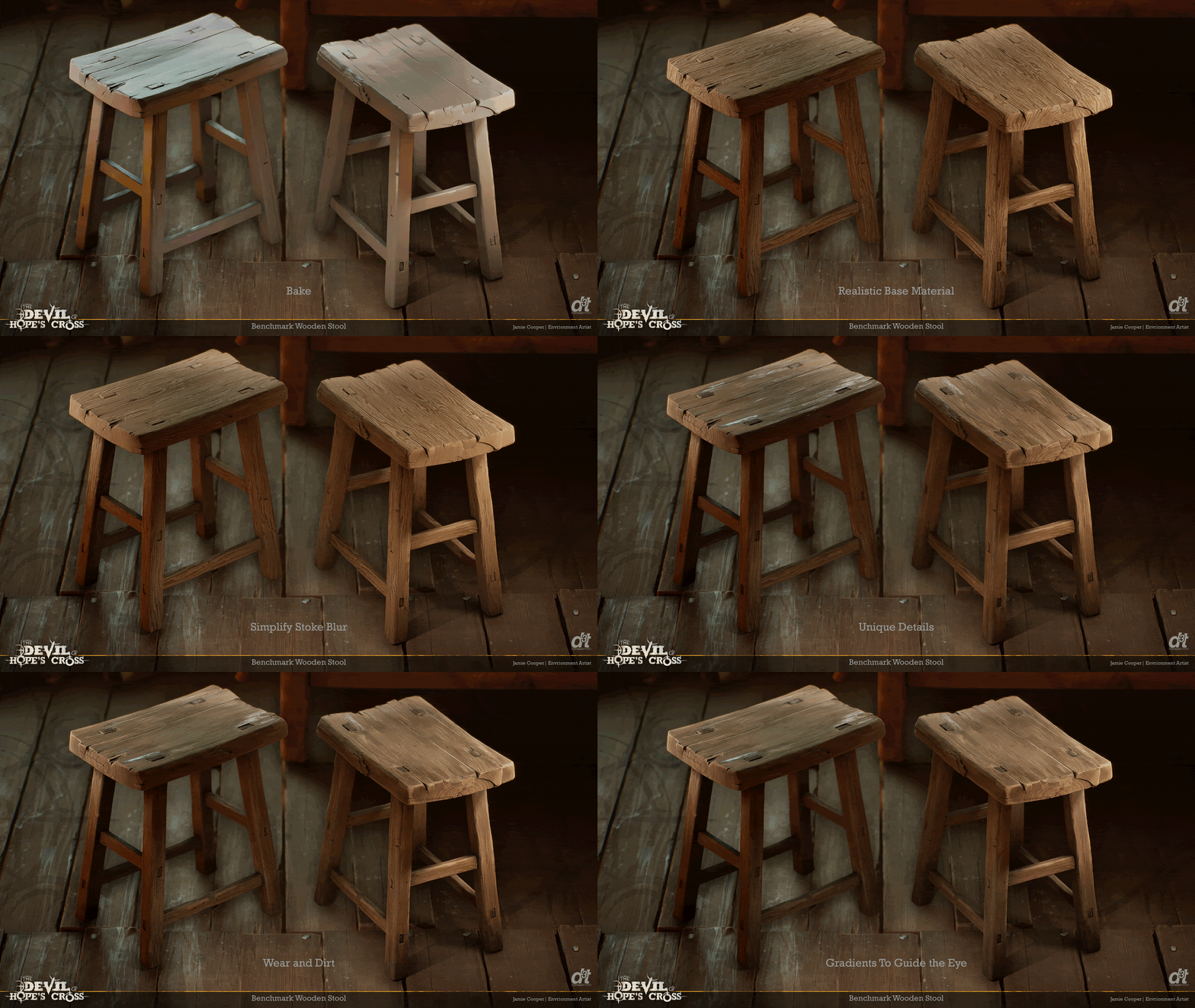
What information needs to be in there?
- Texture sets used (How many different sets of textures are used for the asset)
- Textures used (At minimum: Basecolor, Normal, Roughness. Other textures if relevant and used)
- Texture Sizes (Is the texture 2k)
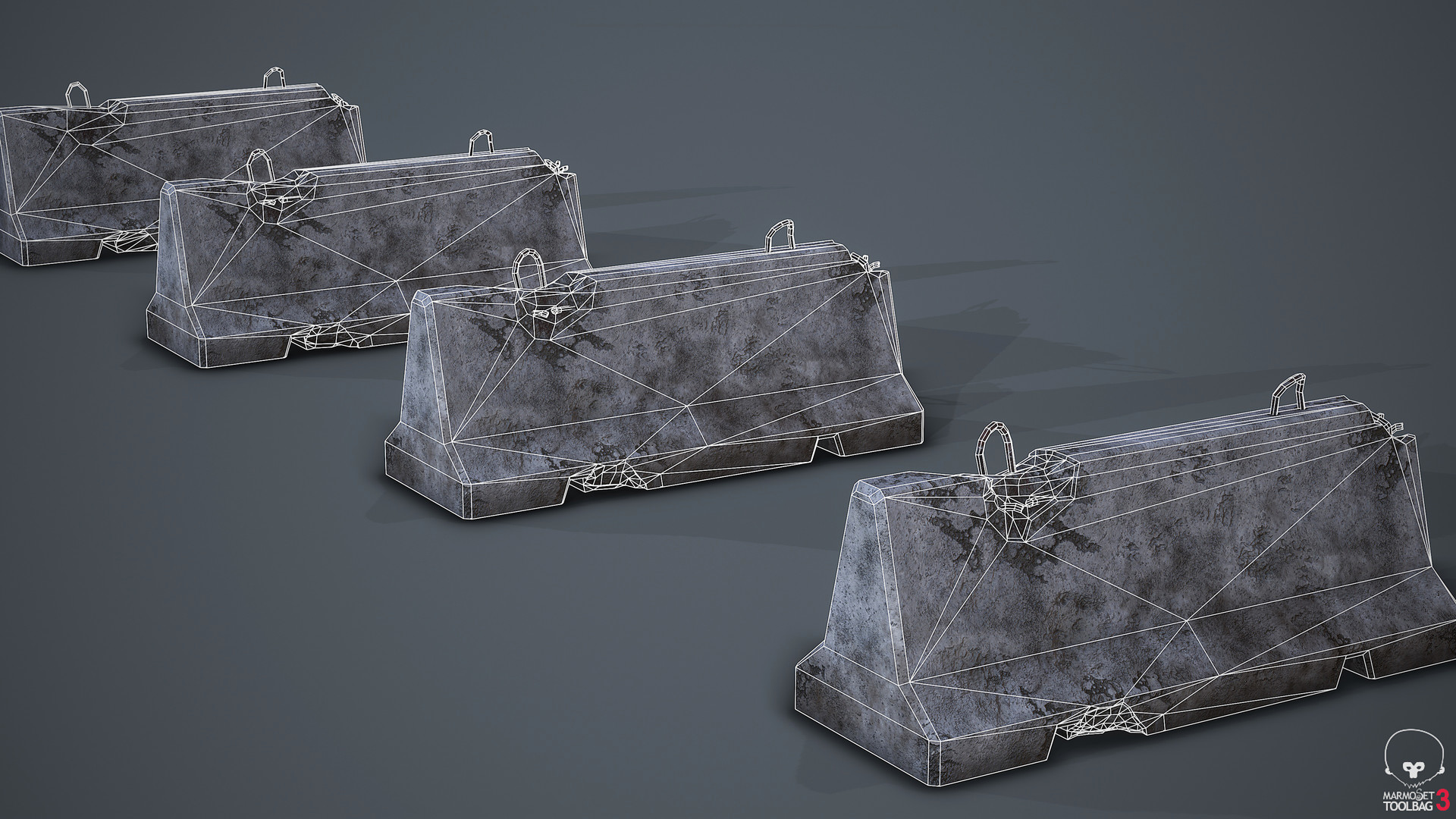
- Asset Wireframe (Need to be able to clearly see the wireframe)
- Polycount (Can be either in Triangles or Polygons, but would be good to mention)
breakdown examples
Here's some examples of breakdown presentations for assets that contain the information that was just mentioned.
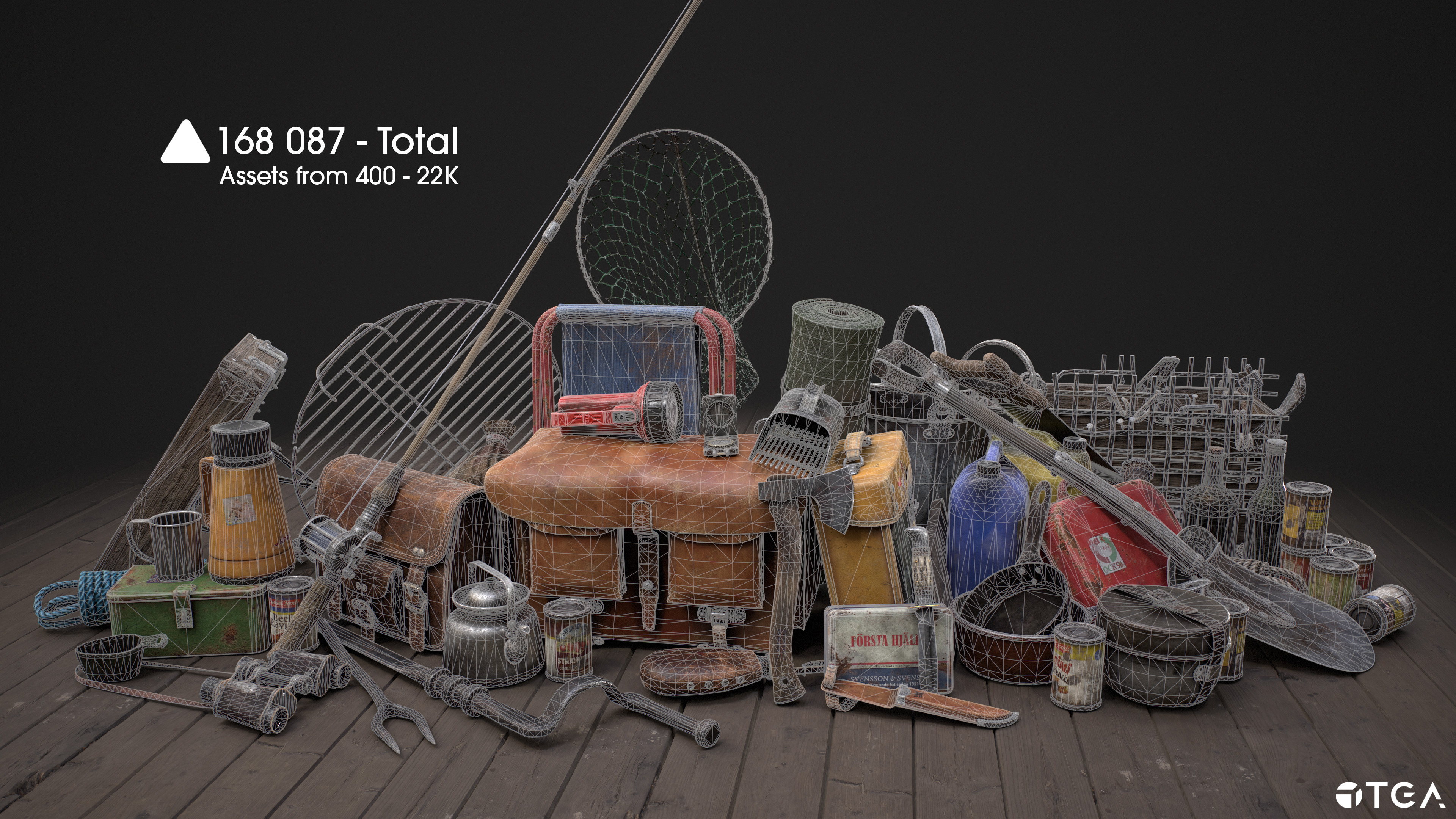
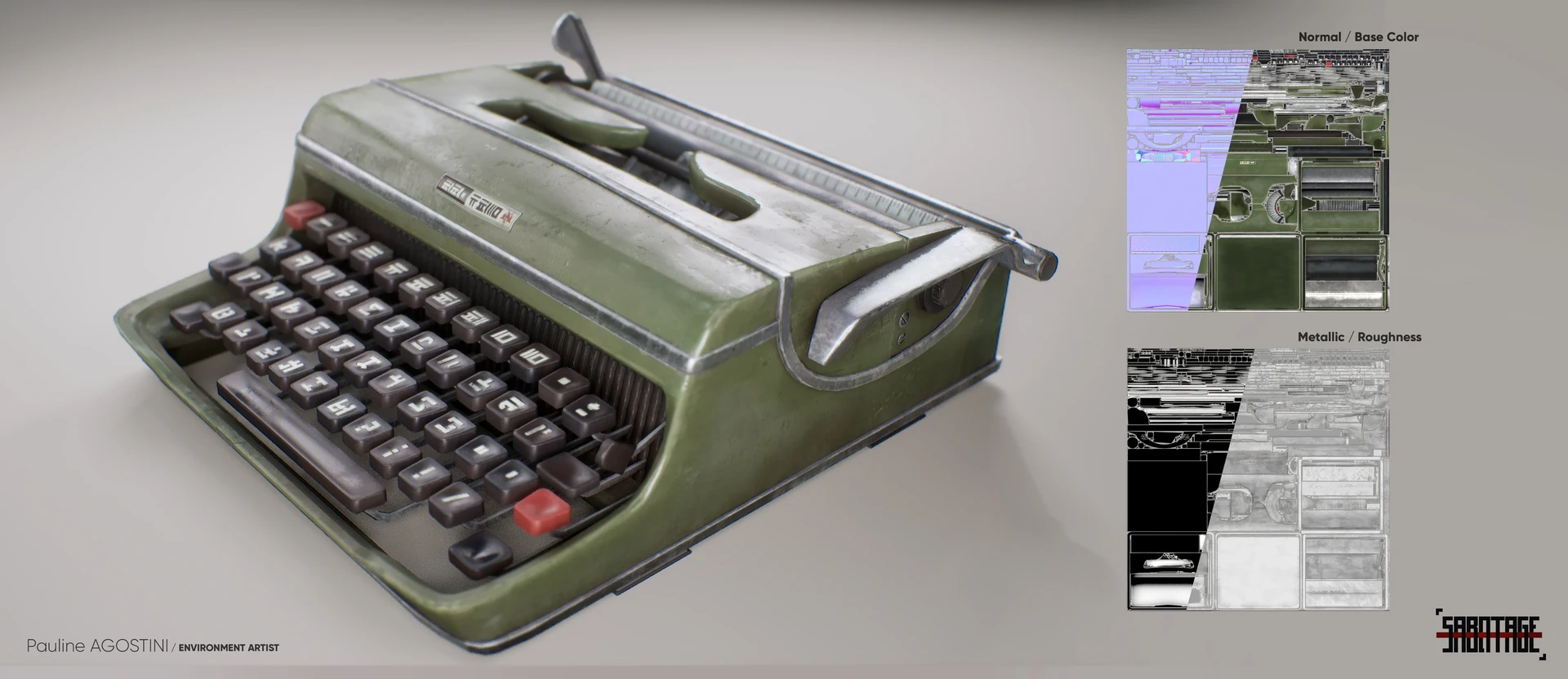
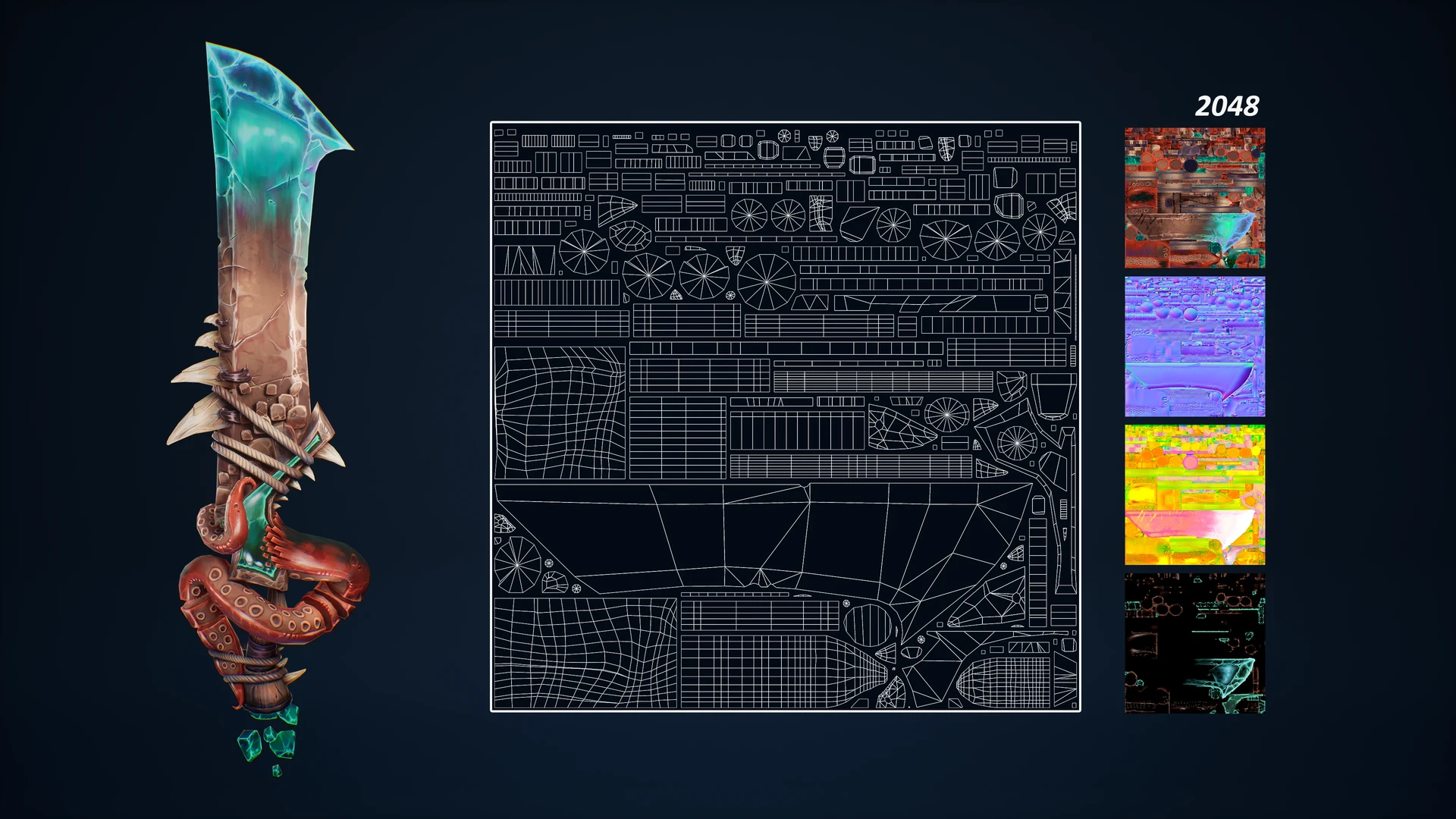
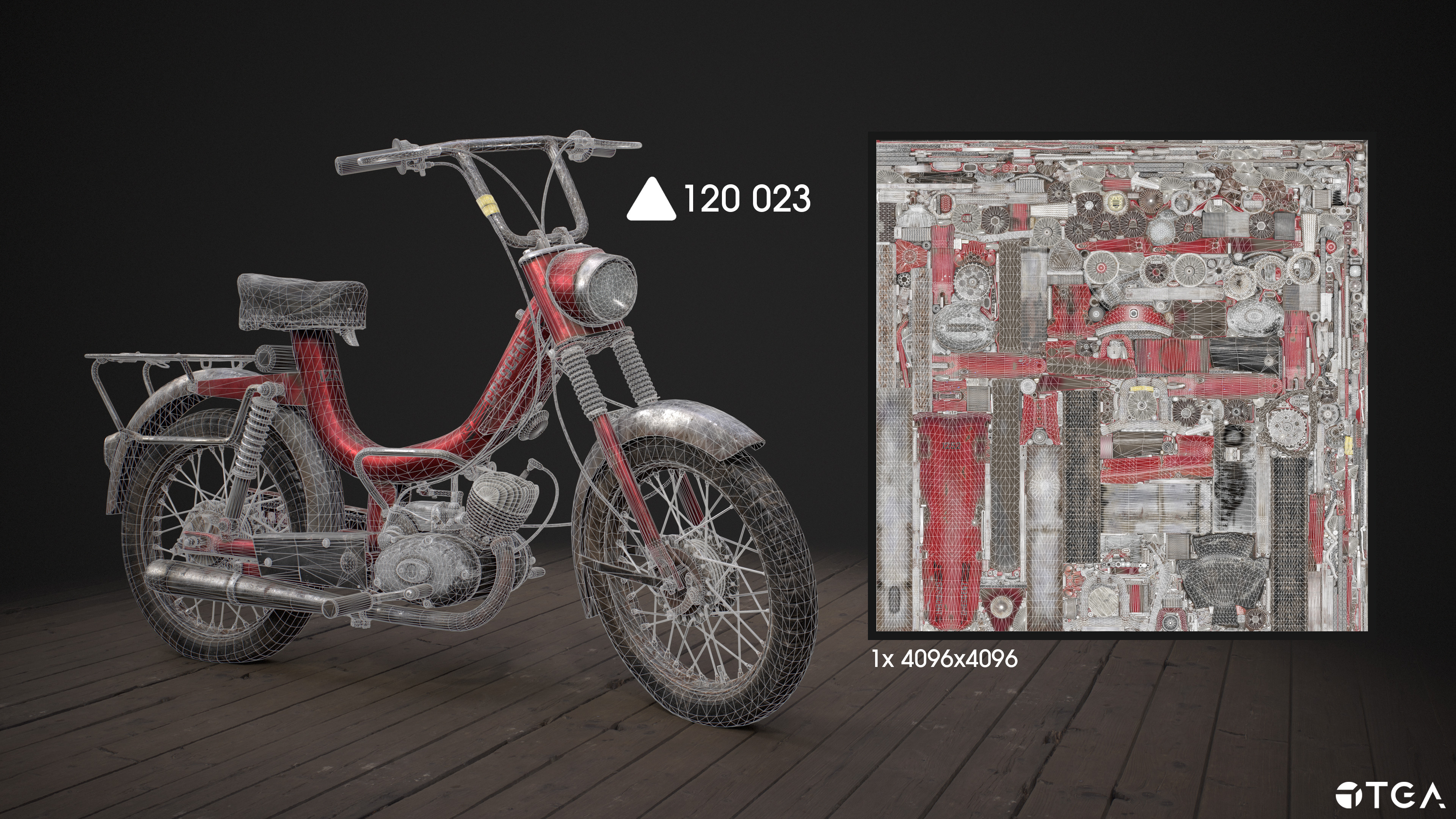
Some examples on how to showcase more complex assets with multiple texture sets.
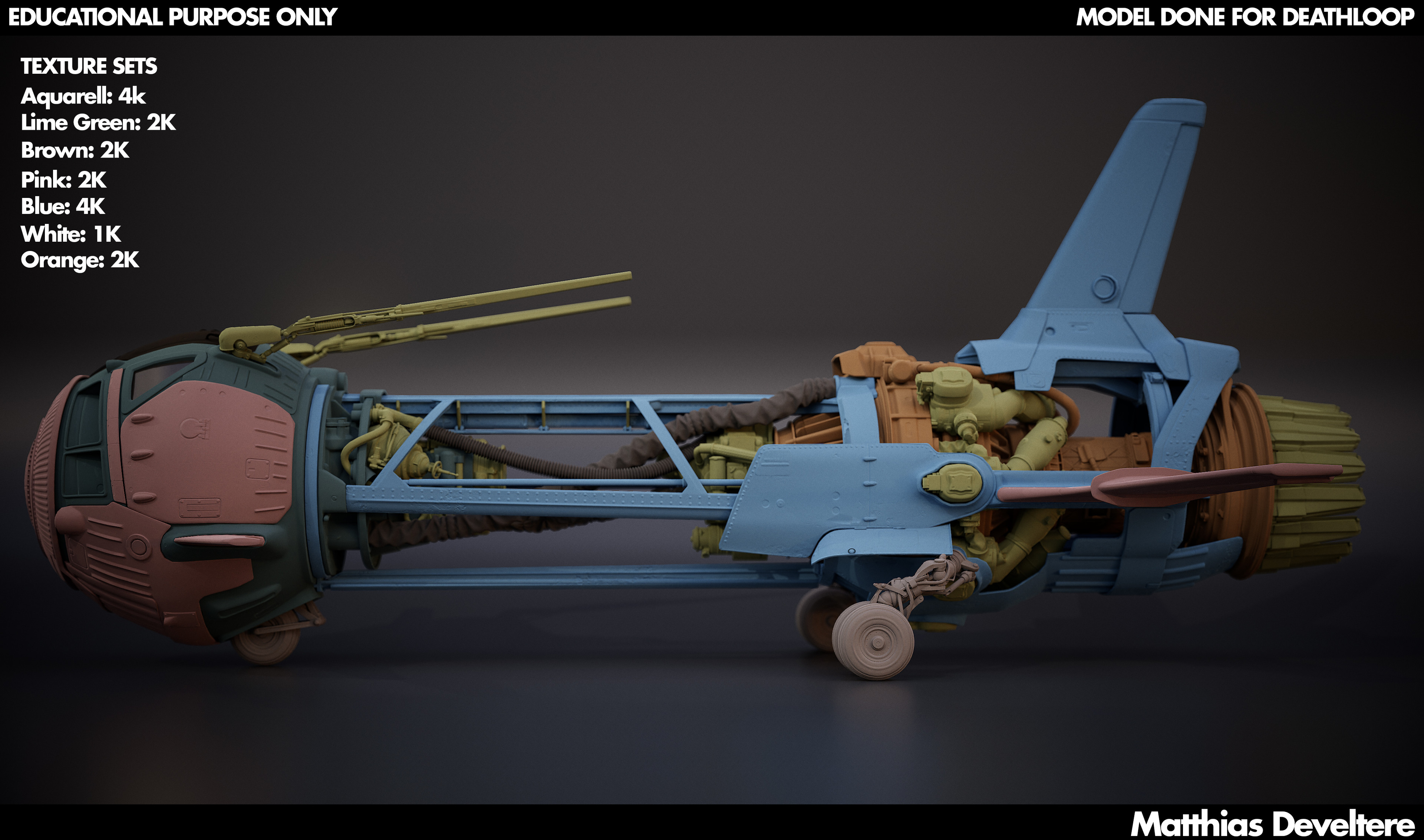
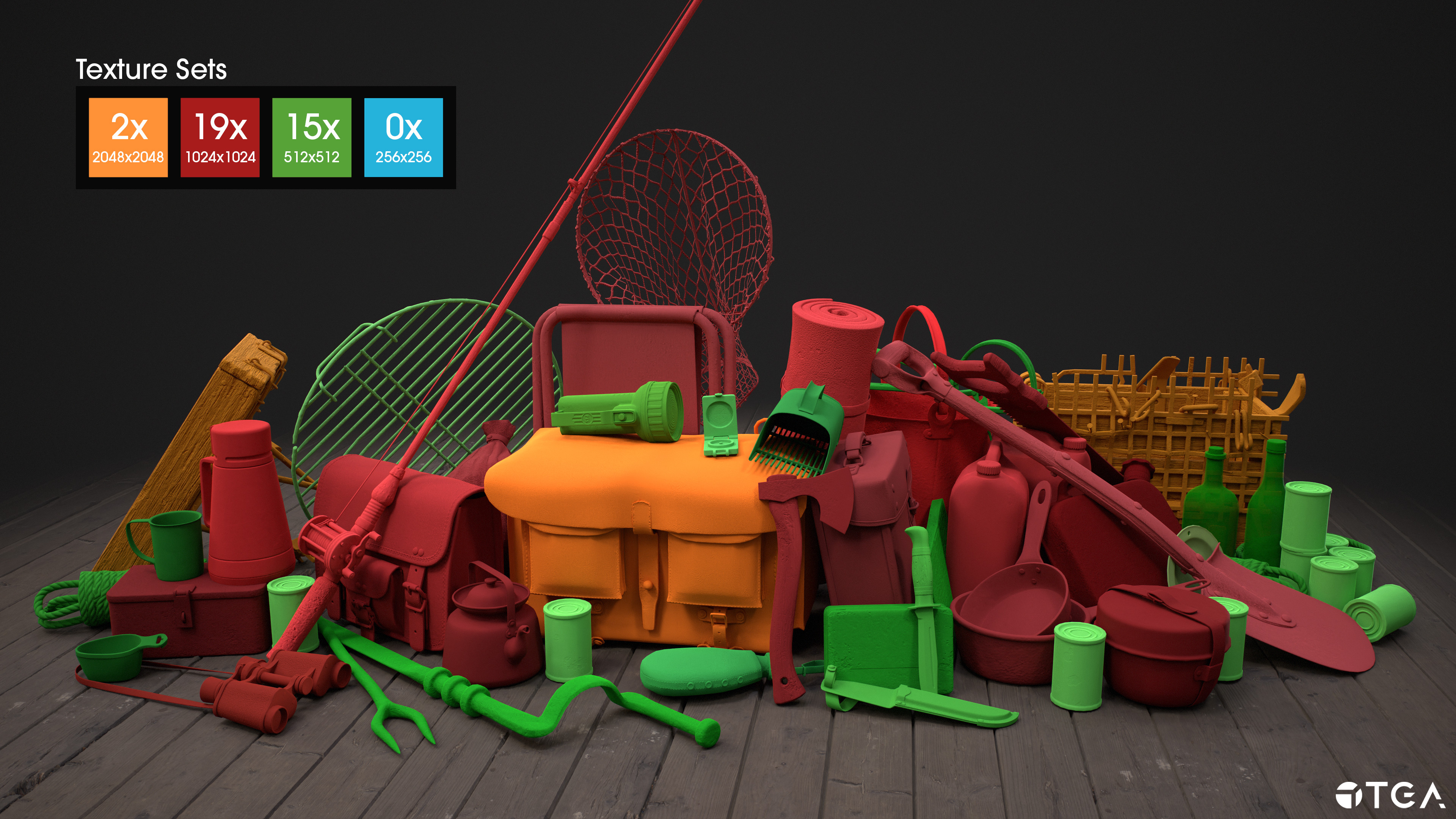

example artists breakdowns
- BreakDown - DEATHLOOP - Rakyetoplan (Matthias Develtere)
- Cresent Compact 1252 - Survival Moped (Sebastian Claesson)
- Fisherman's Sword (Yohann GESLIN)
- Wooden shrine - (Andrey Shipkov)
Modularity Breakdowns
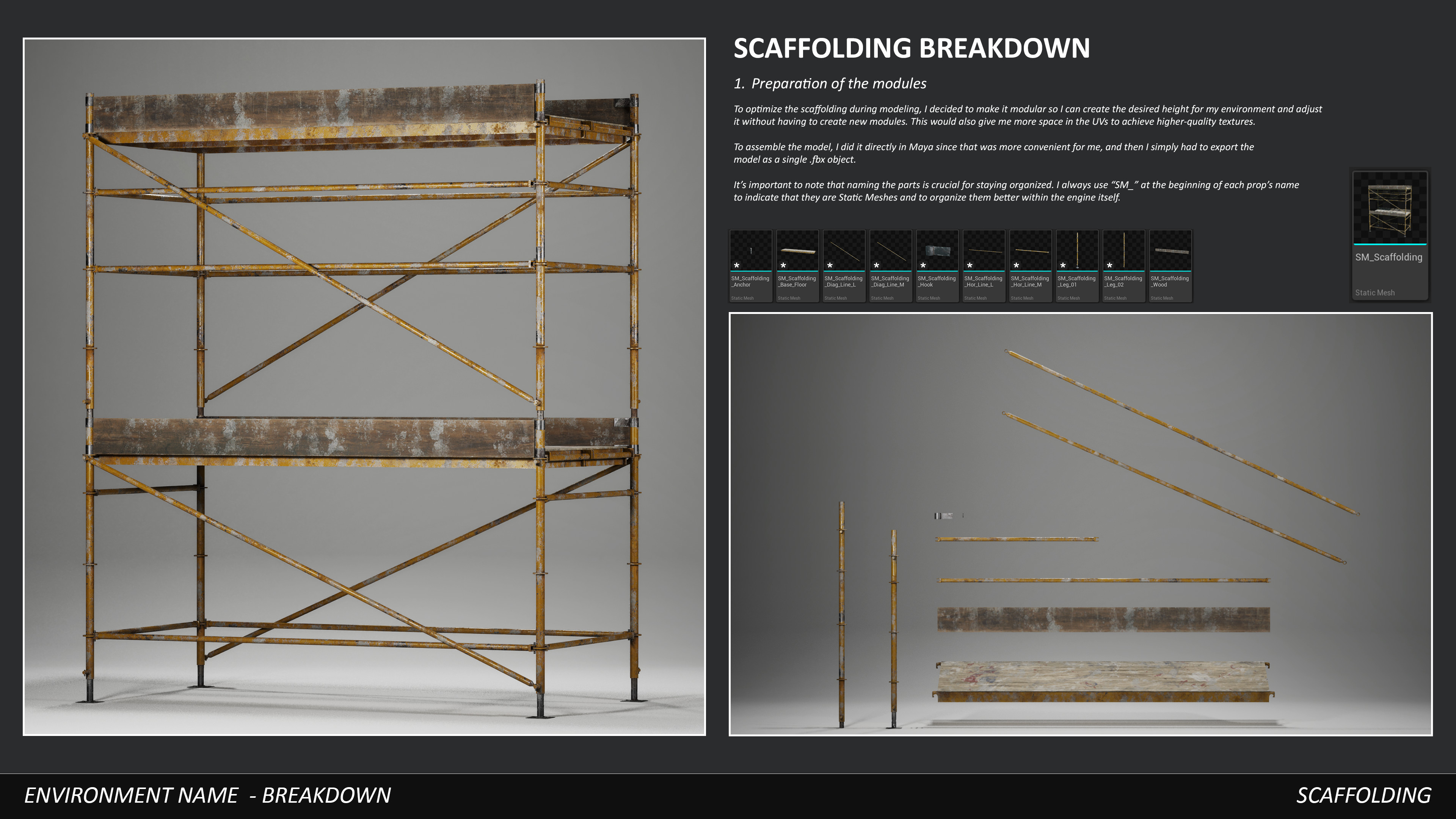
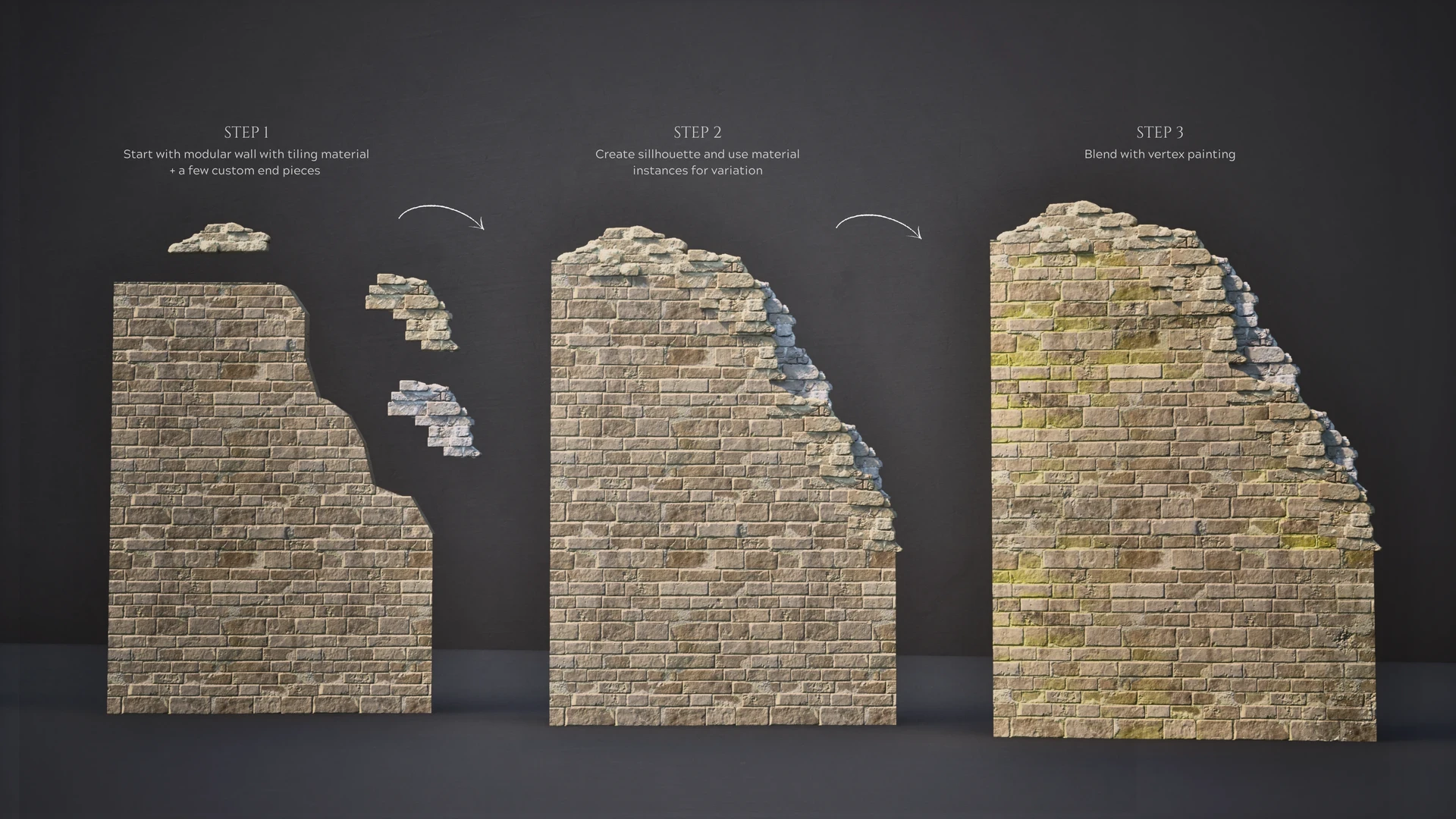
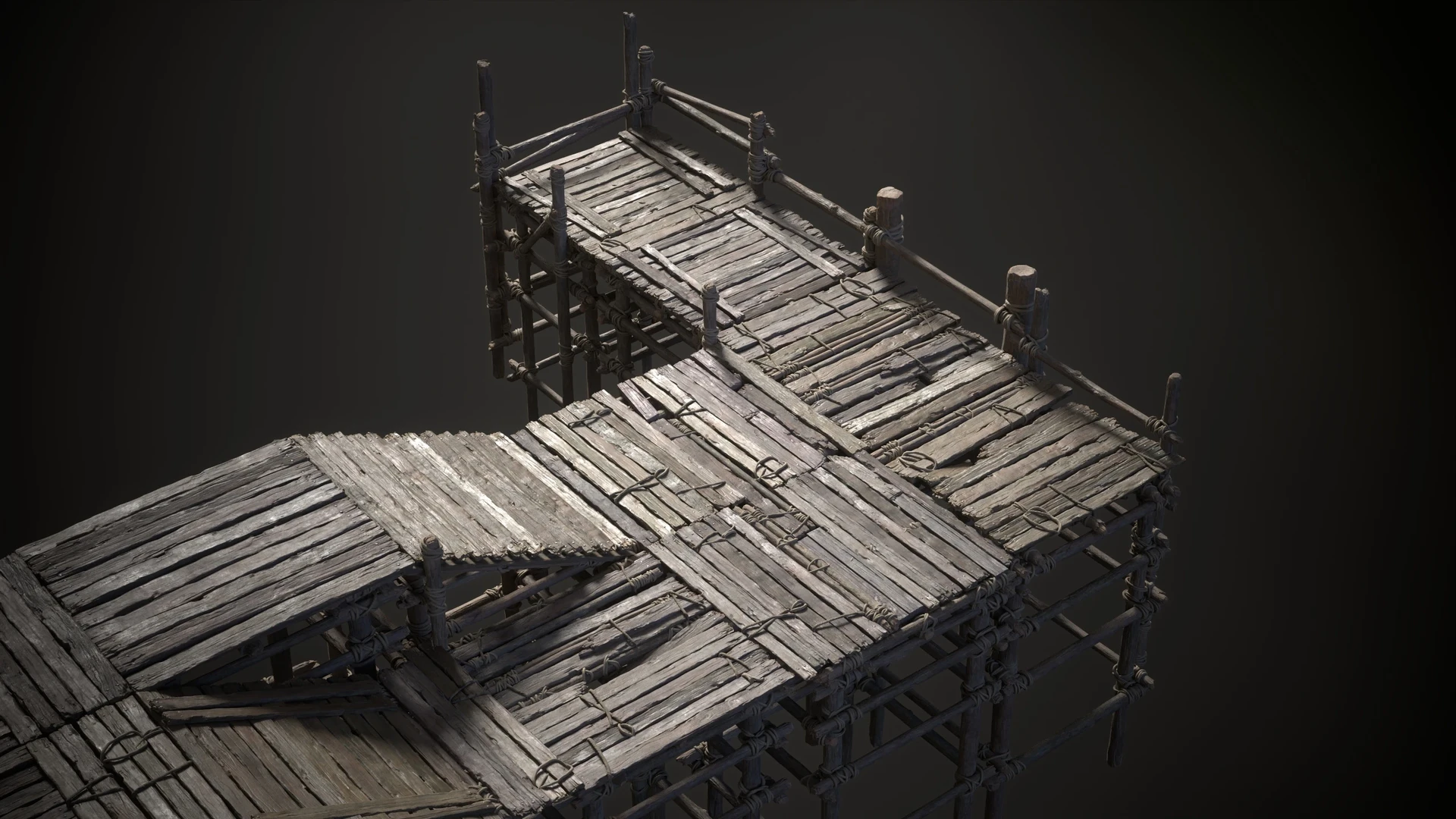
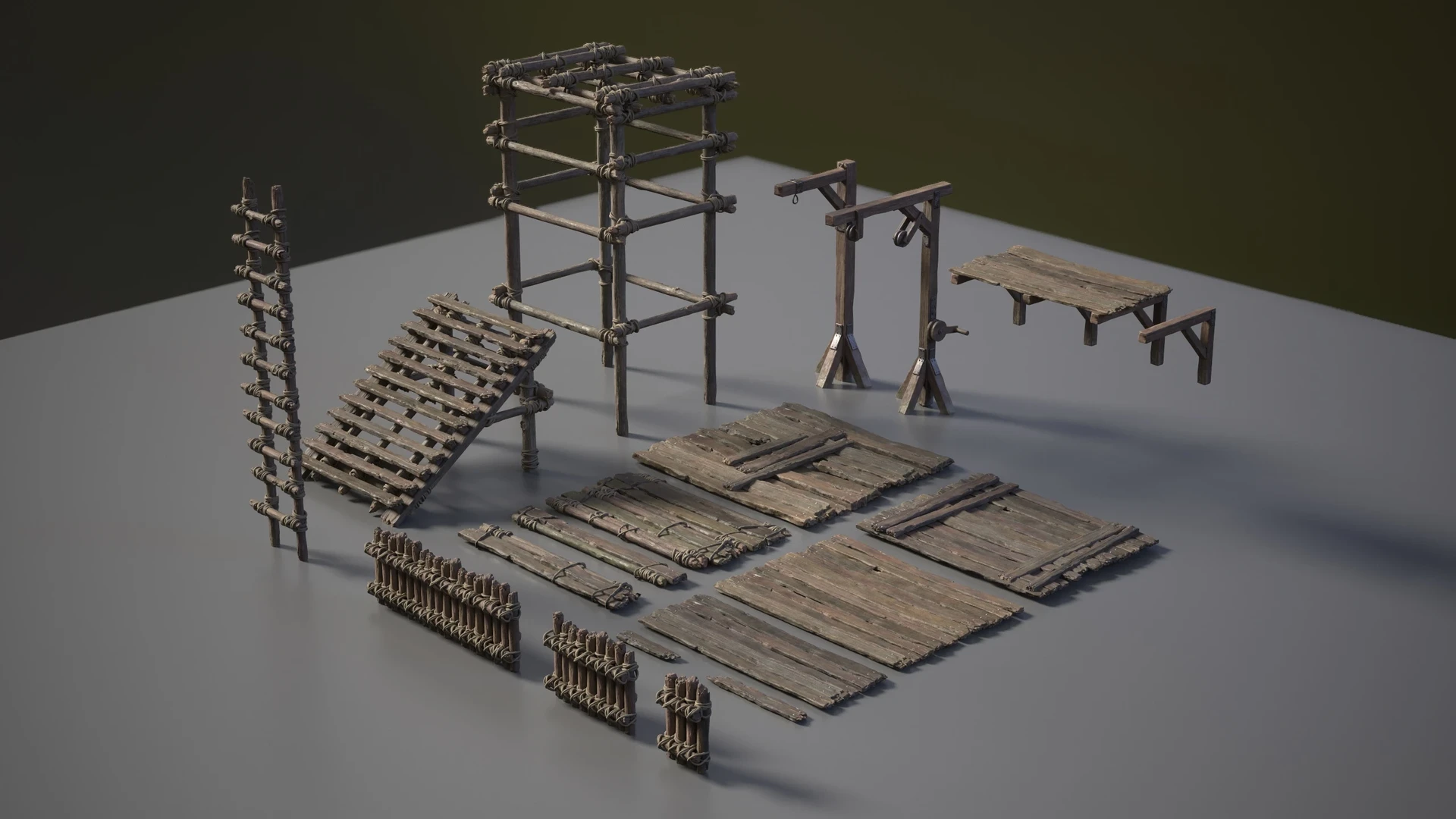
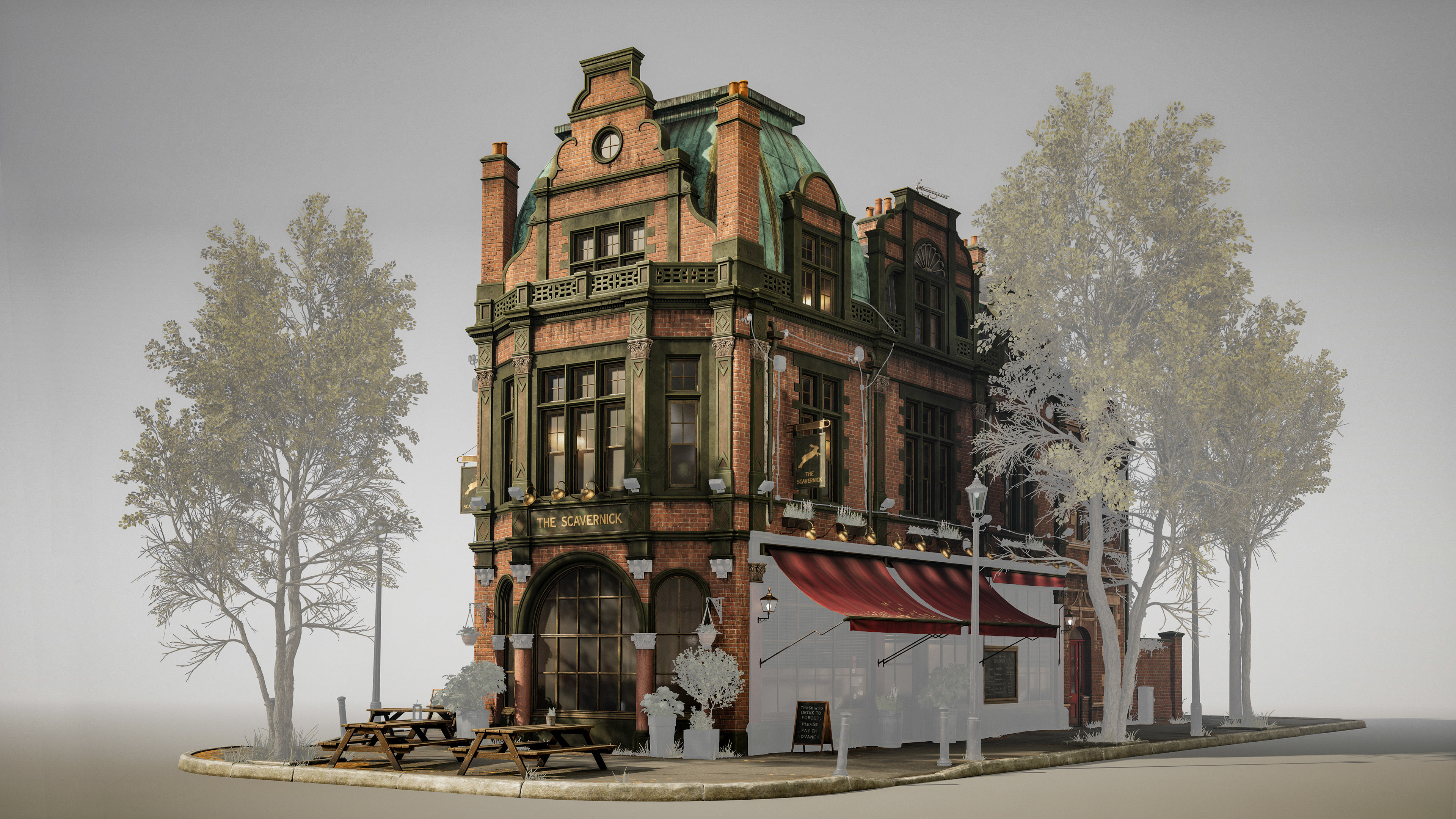
With modular kits we want to showcase things a little bit differently, since this consists of a individual assets that are supposed to be playing together and function as one. When it comes to modular kits we want to focus on the functionality of the modular kit first, and then showcase how create we have been in combining all the pieces together.

What information needs to be in there?
- Showcasing the functionality of the modularity, how can the kit be used.
- Showing how flexible the modular kit is
- How did you work with the modularity
breakdown examples

Texture Breakdowns
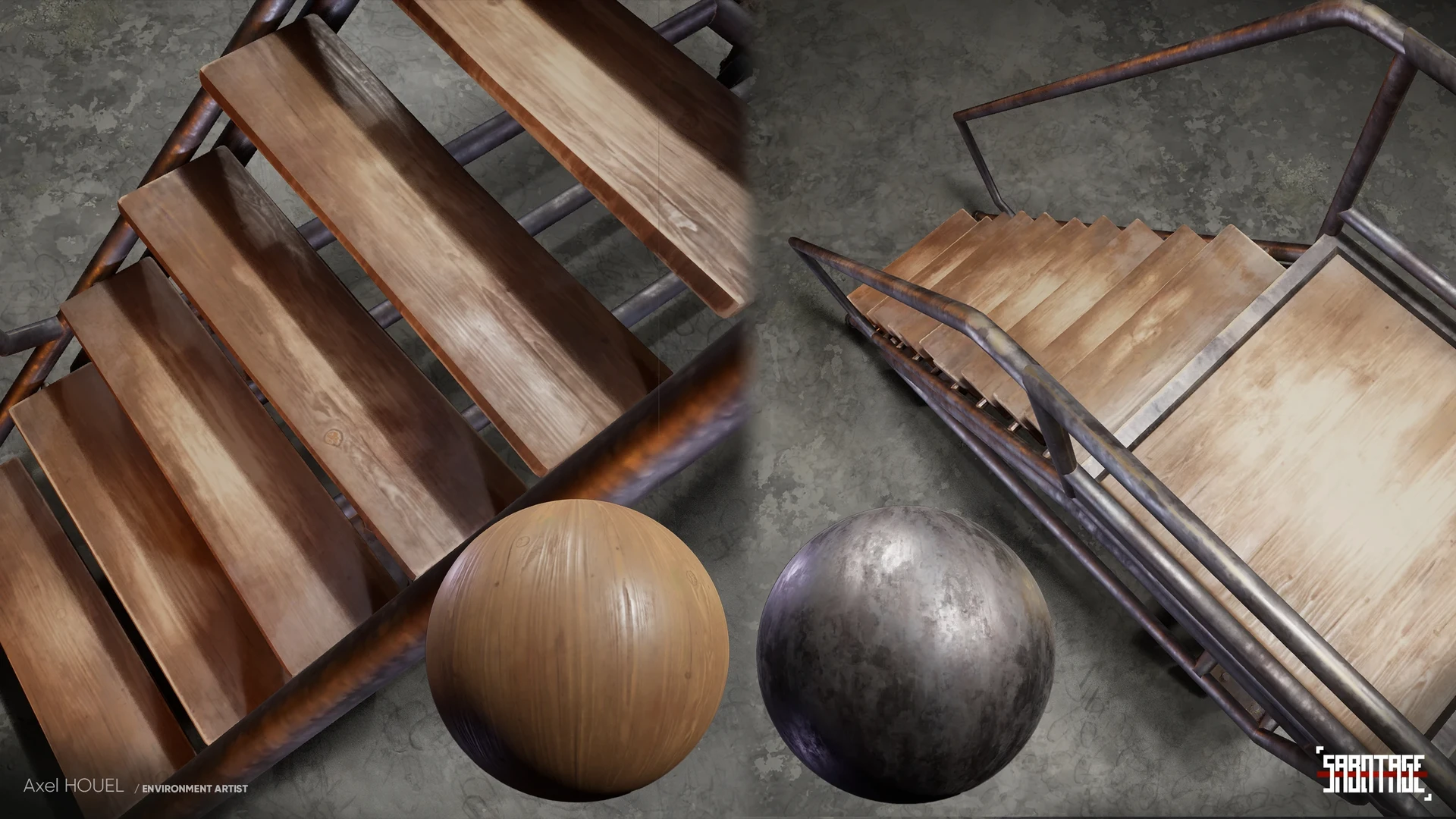
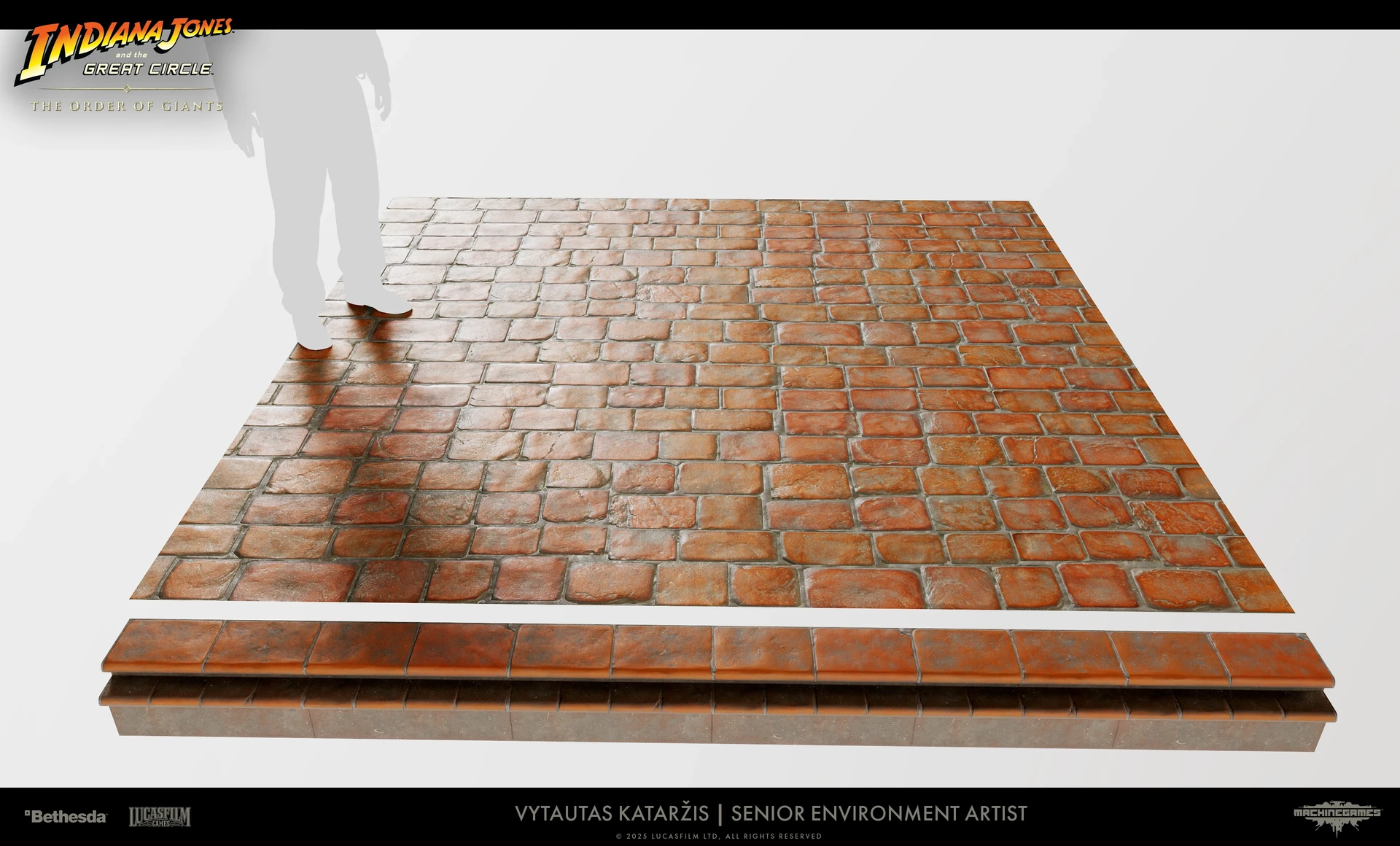
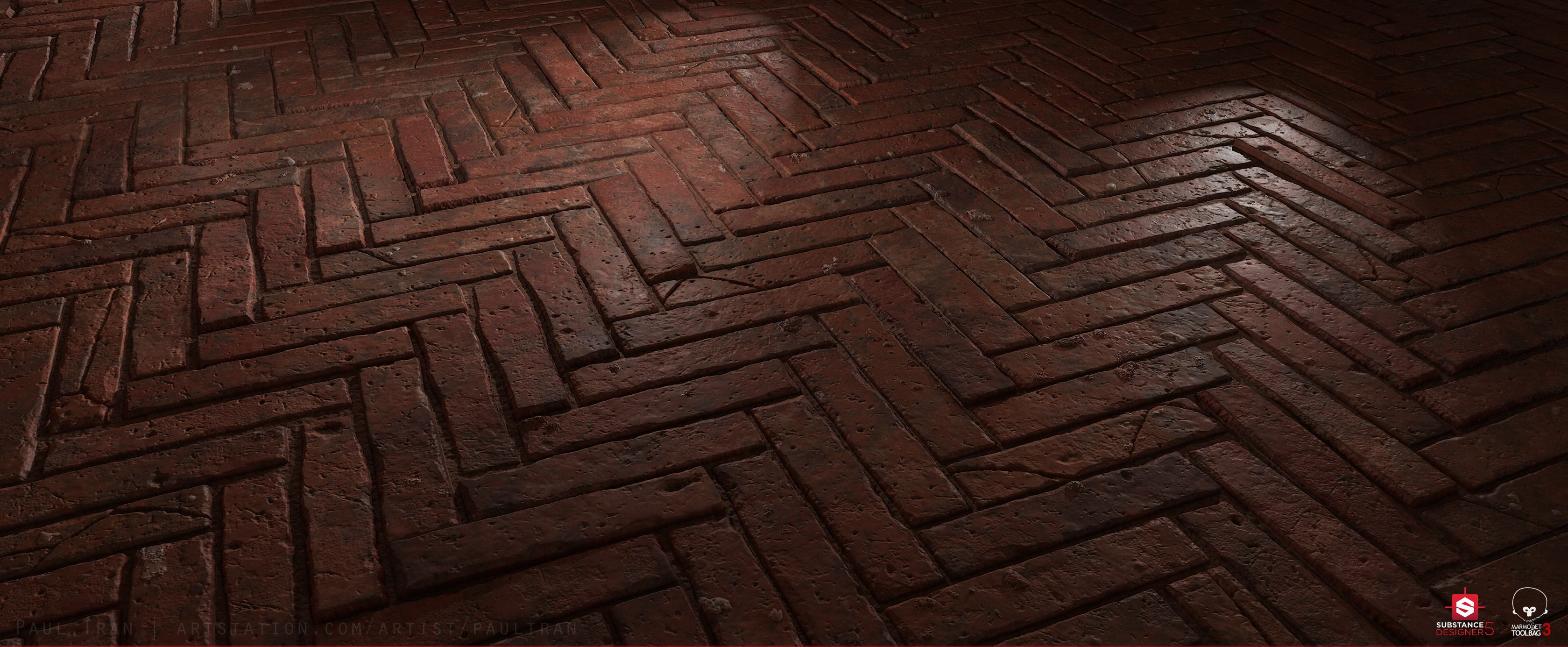
When it comes to textures the main thing here would be to showcase how the texture how it's going to function within the scene itself, sometimes a material might look great, untill we then put things into a functional environment and we might need to change things up.

What information needs to be in there?
- Showing how the textures look in a real functional environment (fucntional tiling is especially important)
- Texture size (Is it a 1024 x 1024, 2048 x 2048, etc...)
- How the material reacts to light and the environment, so it looks readable and correct.
breakdown examples
Here's some examples of breakdown presentations for textures and how to showcase them so they show all the information that was just mentioned.
shader Breakdowns
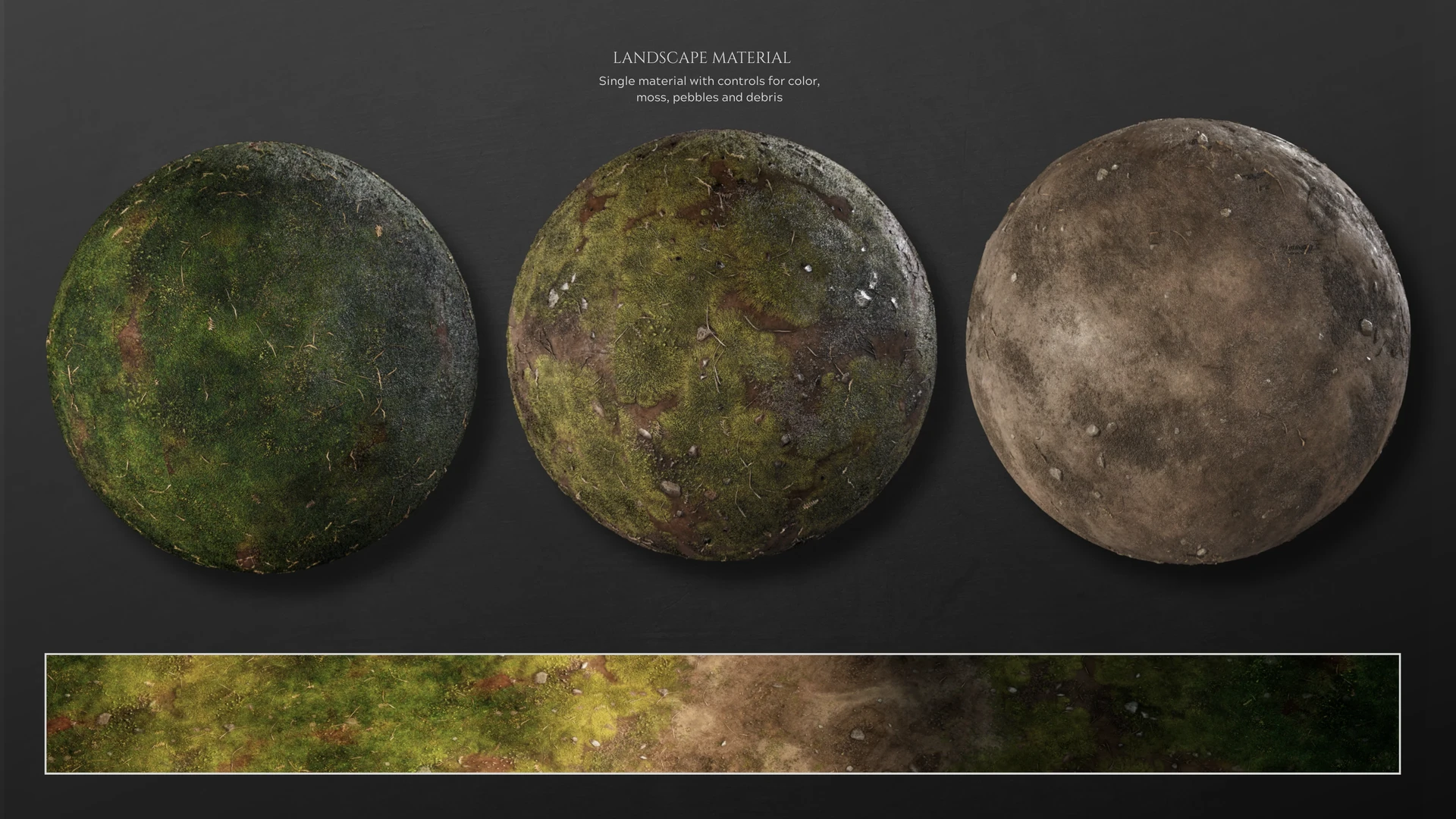
A more technical breakdown, focusing on the material instead of the textures this time around. For these we want to find efficient ways to display the technical elements of making a material. Showcasing all the interesting functionality that makes these materials more flexible and more reuseable between a multitude of assets.
What information needs to be in there?
- Showcase how the material functions
- Hightlight special/unique features especially
What information do we need avoid?
- Share material graphs where we can't read the nodes
breakdown examples

Other optional breakdowns
Most of the following items on the list are usually done automatically by the engine OR are made easier with tools. Only in specific examples should these be done by hand from my personal experience at least.
This means that to me the value of showing these is more in addition to the main breakdowns and should not be a priority.
What information can be included here?
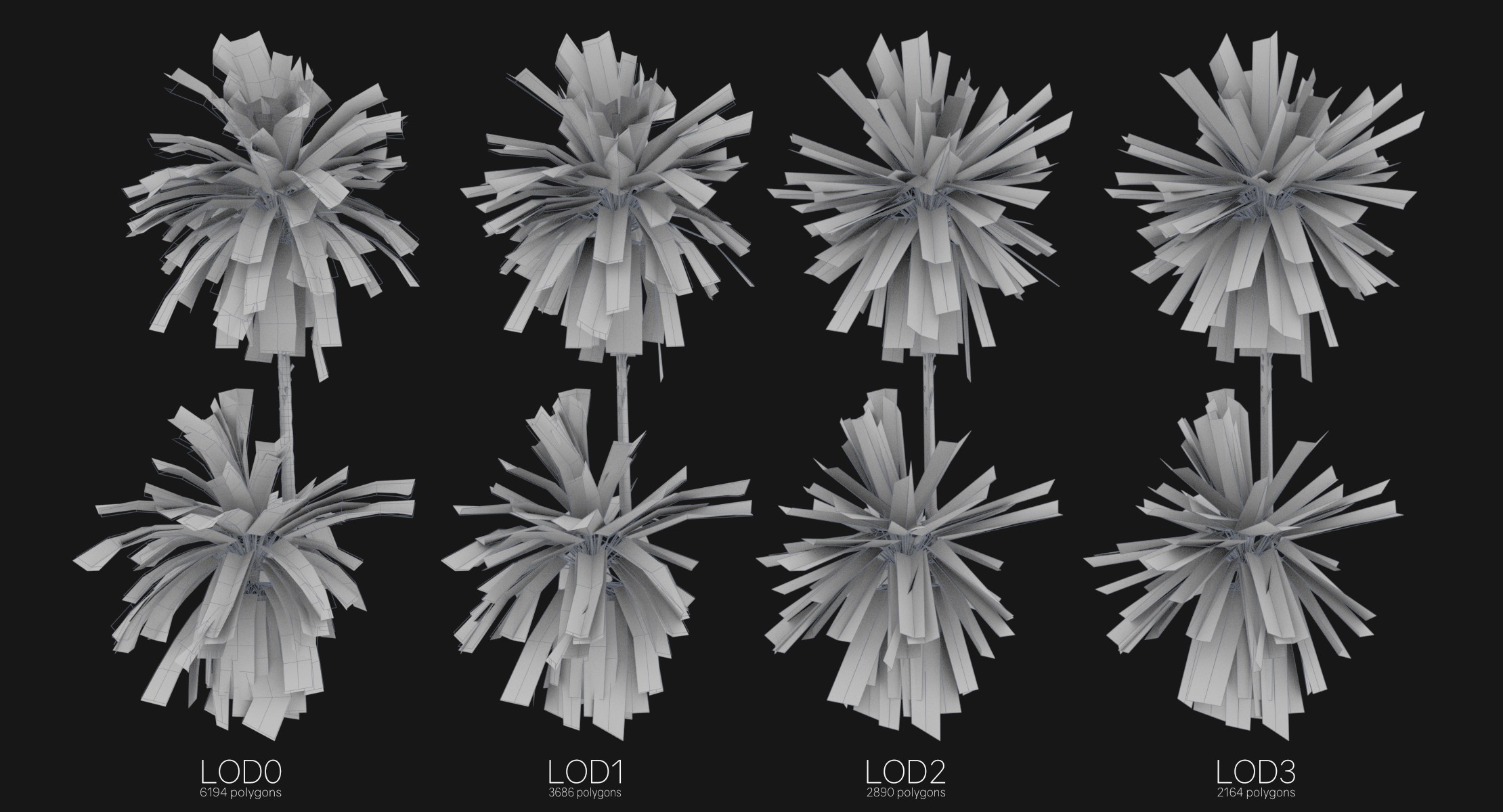
- LOD Optimisation (Showing transitions between different LOD's)
- MIP MAPPING (Showing transitions between different texture sizes, usually done over distance from asset)
- Collision (Good collisions are crucial, using simple geometry to apporximate meshes can be a dramatic optimisation trick on larger games, especially ones with larger area's of dynamic objects.)
- Navigation Mesh (A mesh that covers the playable area, and depending on the set dressing this might leadtoawkward or great player navigation)
breakdown examples
RESOURCES
⚠️
MISSING RESOURCES