










to do list (Admin only)
Verify text content
Verify Video Content
LESSON OVERVIEW
In this short lesson we will be giving a brief introduction to the UI in speedtree, where you can find all the tools and editors you will be needing for the following lessons.
So if you ever get lost on where to find something, feel free to come back to this lesson if you need a refresher.
⚠️
Missing LESSON OVERVIEW
speedtree overview
In the next lessons we will be diving straigh into the creation of different elements we need for our foliage. For that we need to get to grips with Speedtree first. Especially getting to know it's different tools we will be using and where to find the different editors we will be using, so let me give you an introduction.
For a handy overview here are also some quick images to help you get on trakc with using speedtree quicker.
GENERAL OVERVIEW
What is the navigation of speedtree likea nd where to find all the generic menus and panel.

CUTOUT EDITOR
The cutout editor can be found in the cutout tab on a material.

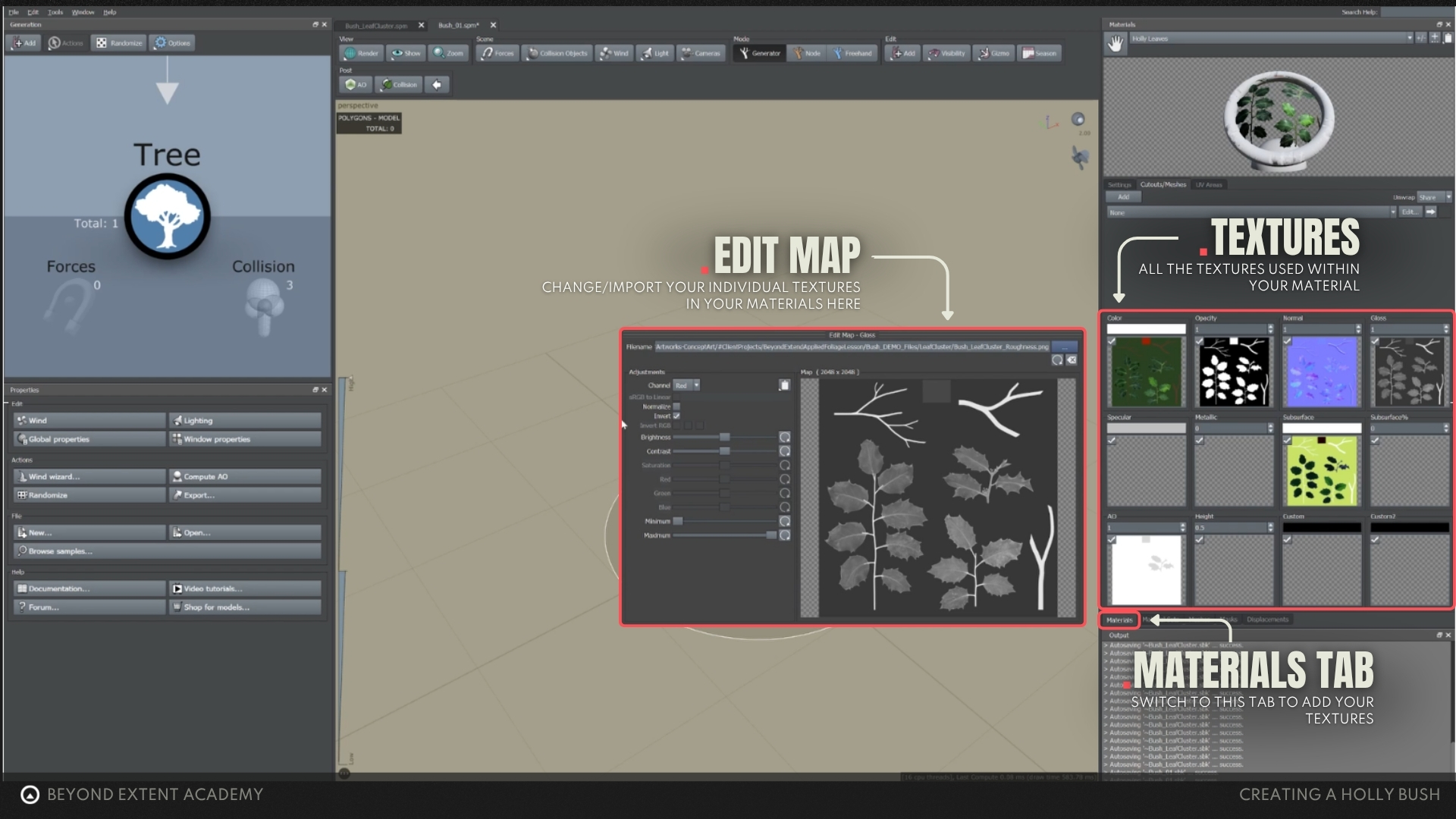
Materials/textures menu
This panel shows you all the materials in the scene and which textures make up that material.
RESOURCES
⚠️
MISSING RESOURCES